ChatGPT 字符計數器限制 (CCCL)

添加一個字符計數器到輸入框,限制為 32732 個字符。(ChatGPT 的限制是 32732 個字符。)

目前為 2024-09-01 提交的版本,檢視 最新版本

您需要先安裝使用者腳本管理器擴展,如 TampermonkeyGreasemonkeyViolentmonkey 之後才能安裝該腳本。

You will need to install an extension such as Tampermonkey to install this script.

您需要先安裝使用者腳本管理器擴充功能,如 TampermonkeyViolentmonkey 後才能安裝該腳本。

您需要先安裝使用者腳本管理器擴充功能,如 TampermonkeyUserscripts 後才能安裝該腳本。

你需要先安裝一款使用者腳本管理器擴展,比如 Tampermonkey,才能安裝此腳本

您需要先安裝使用者腳本管理器擴充功能後才能安裝該腳本。

(我已經安裝了使用者腳本管理器,讓我安裝!)

你需要先安裝一款使用者樣式管理器擴展,比如 Stylus,才能安裝此樣式

你需要先安裝一款使用者樣式管理器擴展,比如 Stylus,才能安裝此樣式

你需要先安裝一款使用者樣式管理器擴展,比如 Stylus,才能安裝此樣式

你需要先安裝一款使用者樣式管理器擴展後才能安裝此樣式

你需要先安裝一款使用者樣式管理器擴展後才能安裝此樣式

你需要先安裝一款使用者樣式管理器擴展後才能安裝此樣式

(我已經安裝了使用者樣式管理器,讓我安裝!)

作者
人民的勤务员
評價
0 0 0
版本
1.3.1.1
建立日期
2024-09-01
更新日期
2024-09-01
尺寸
7.0 KB
授權條款
MIT
腳本執行於
UserScripts

人民的勤务员/UserScripts

脚本来自互联网广大网友,本人仅是做了些许改动.感谢网友 如有侵权,联系必删,勤务员的脚本可供随意修改.
Gmail

GreasyFork Total Installs Total Daily Installs Scripts Count Good Ratings Ok Ratings Bad Ratings

Github commit forks Issue license CopyRight


starsStar Me请给我点星

给勤务员加鸡腿

ChatGPT 字符计数器限制

「 添加一个字符计数器到输入框,限制为 32732 个字符。(ChatGPT 的限制是 32732 个字符。) 」

Download:Github | ⭐Greasy Fork
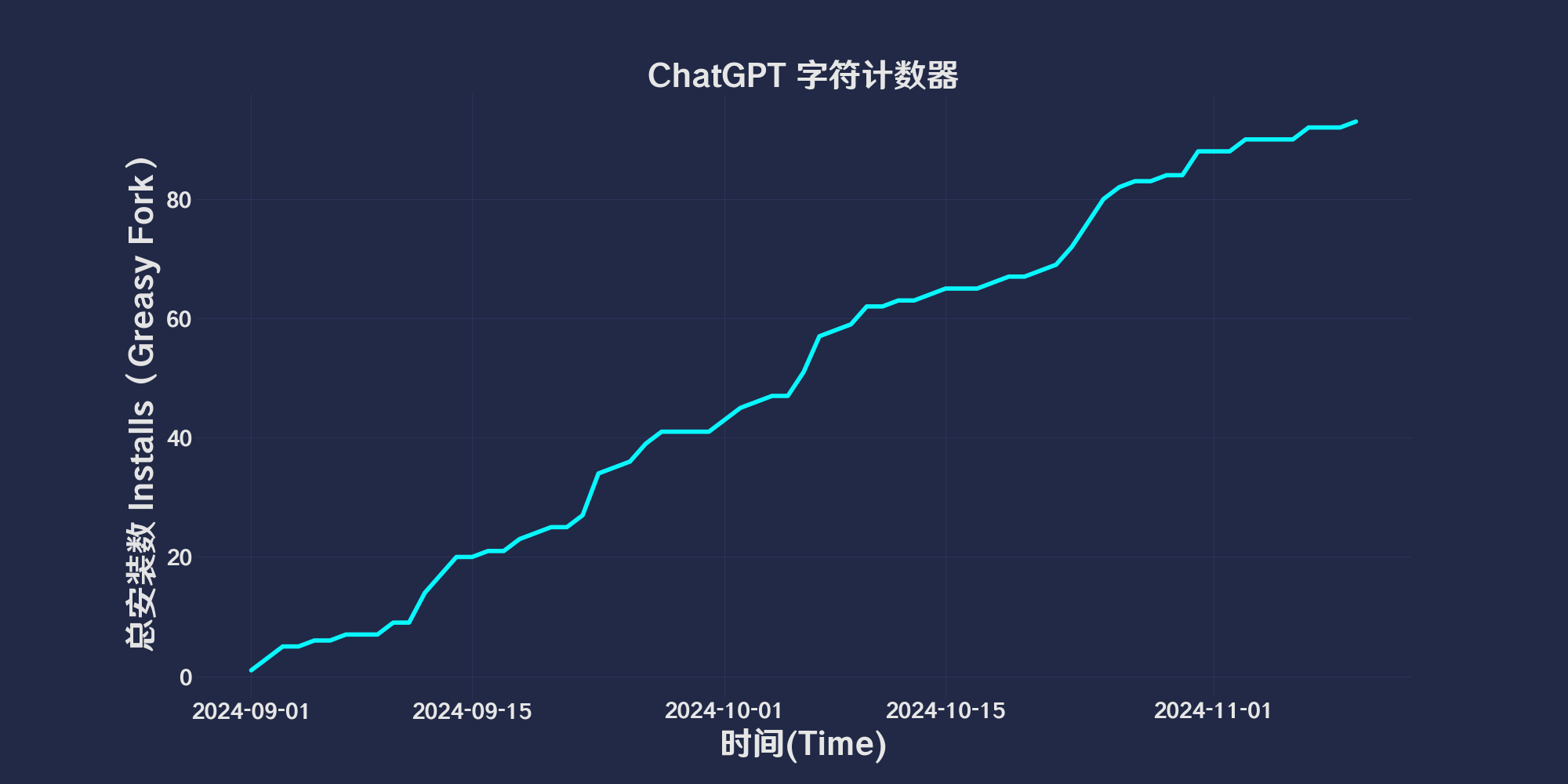
更新记录
  • 2024/9/1 09:37 - Ver:.1.3.1 修复在新开聊天或者切换聊天时无法显示计数器问题和在发送后计数器不清零的问题..

ChatGPT Character Counter Limit (CCCL)

Description

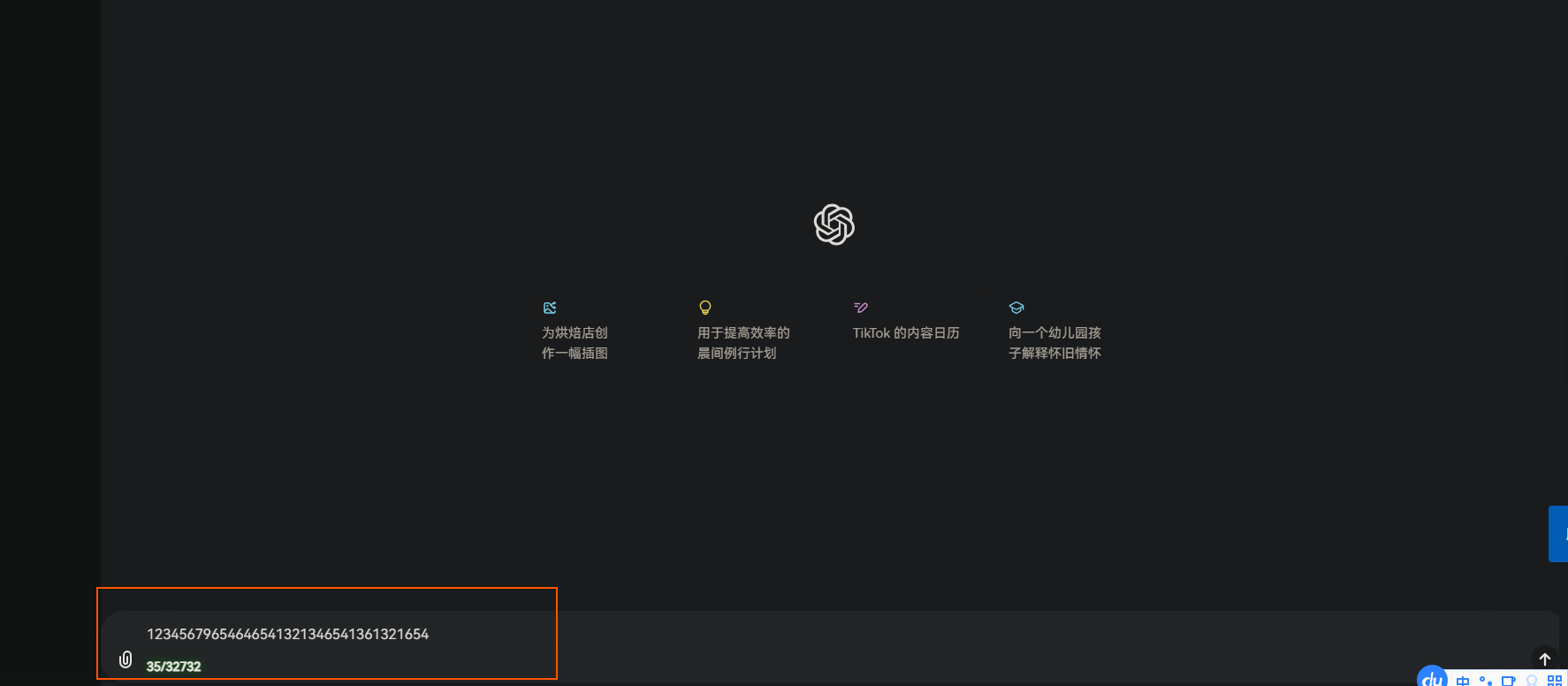
The ChatGPT Character Counter Limit (CCCL) is a user script designed to add a character counter to the ChatGPT input box, limiting the count to 32,732 characters. This script helps users view the number of characters entered in real-time and provides visual prompts when the limit is exceeded.

Features

  • Adds a character counter below the ChatGPT input box.
  • Updates the counter in real-time, displaying the number of characters entered and the character limit.
  • Changes the counter text color to red when the character count exceeds the limit, providing a warning.
  • Changes the counter text color to green when the character count approaches the limit, displaying a caution.

Thanks

Modified from the script ChatGPT Character Counter Limit (CCCL) by user Emree.el
Snipaste_2024-09-01_10-05-11.png