Google Classroom - Moonlight

Custom theme for Google Classroom

目前為 2021-08-02 提交的版本,檢視 最新版本

您需要先安裝使用者腳本管理器擴展,如 TampermonkeyGreasemonkeyViolentmonkey 之後才能安裝該腳本。

You will need to install an extension such as Tampermonkey to install this script.

您需要先安裝使用者腳本管理器擴充功能,如 TampermonkeyViolentmonkey 後才能安裝該腳本。

您需要先安裝使用者腳本管理器擴充功能,如 TampermonkeyUserscripts 後才能安裝該腳本。

你需要先安裝一款使用者腳本管理器擴展,比如 Tampermonkey,才能安裝此腳本

您需要先安裝使用者腳本管理器擴充功能後才能安裝該腳本。

(我已經安裝了使用者腳本管理器,讓我安裝!)

你需要先安裝一款使用者樣式管理器擴展,比如 Stylus,才能安裝此樣式

你需要先安裝一款使用者樣式管理器擴展,比如 Stylus,才能安裝此樣式

你需要先安裝一款使用者樣式管理器擴展,比如 Stylus,才能安裝此樣式

你需要先安裝一款使用者樣式管理器擴展後才能安裝此樣式

你需要先安裝一款使用者樣式管理器擴展後才能安裝此樣式

你需要先安裝一款使用者樣式管理器擴展後才能安裝此樣式

(我已經安裝了使用者樣式管理器,讓我安裝!)

作者
Risuleia
評價
0 0 0
版本
2.0
建立日期
2021-05-13
更新日期
2021-08-02
尺寸
862 位元組
授權條款
MIT
腳本執行於

Google Classroom - Moonlight Theme


Install directly with Violentmonkey/Tampermonkey


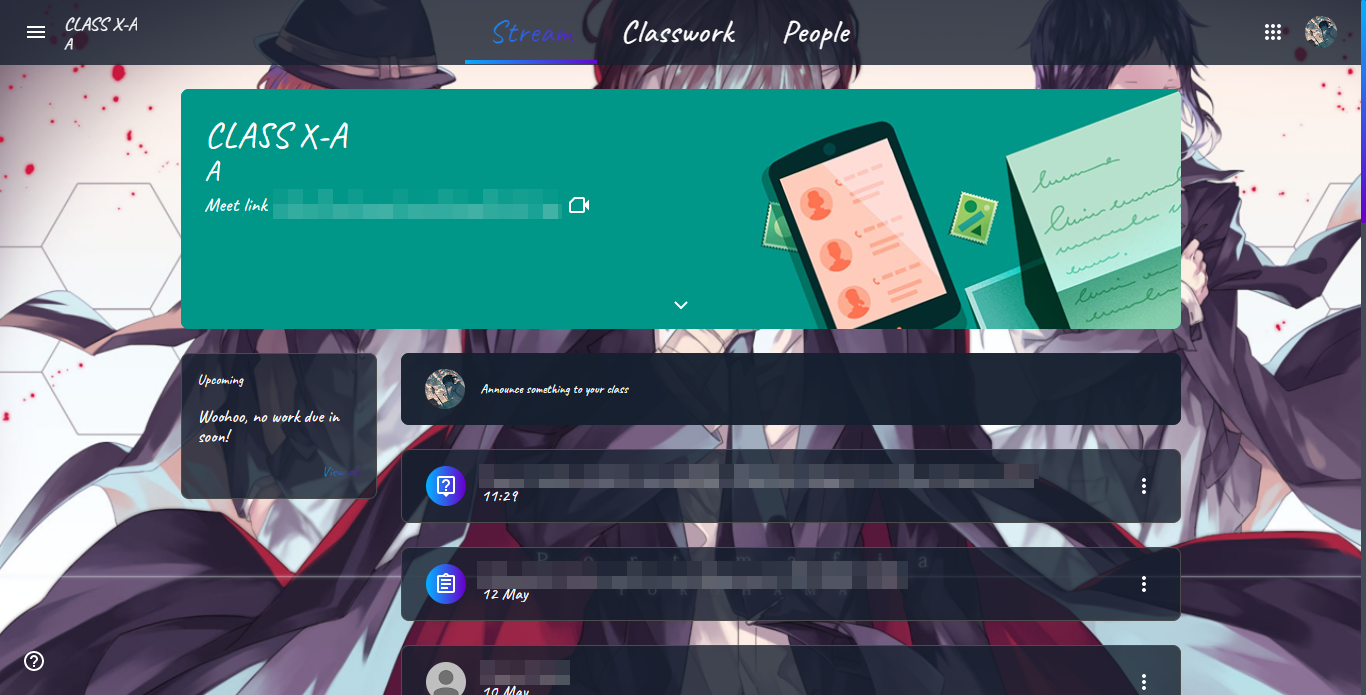
Bored of the old, monotonous crap look of Google Classroom. Spice up your life of classes with Moonlight theme. A custom theme for Google Classroom. It has got a semi-transparent, glossy look, along with awesome animations and more stuff. The background image can also be changed by going to Violentmonkey or Tampermonkey/Google Classroom - Moonlight and changing the URL inside quotes.


Installation

  1. Install any Userscript manager.
  2. Install Google Classroom - Moonlight.user.js.

Preview


Note: Some parts of the images have been blurred to respect privacy :)
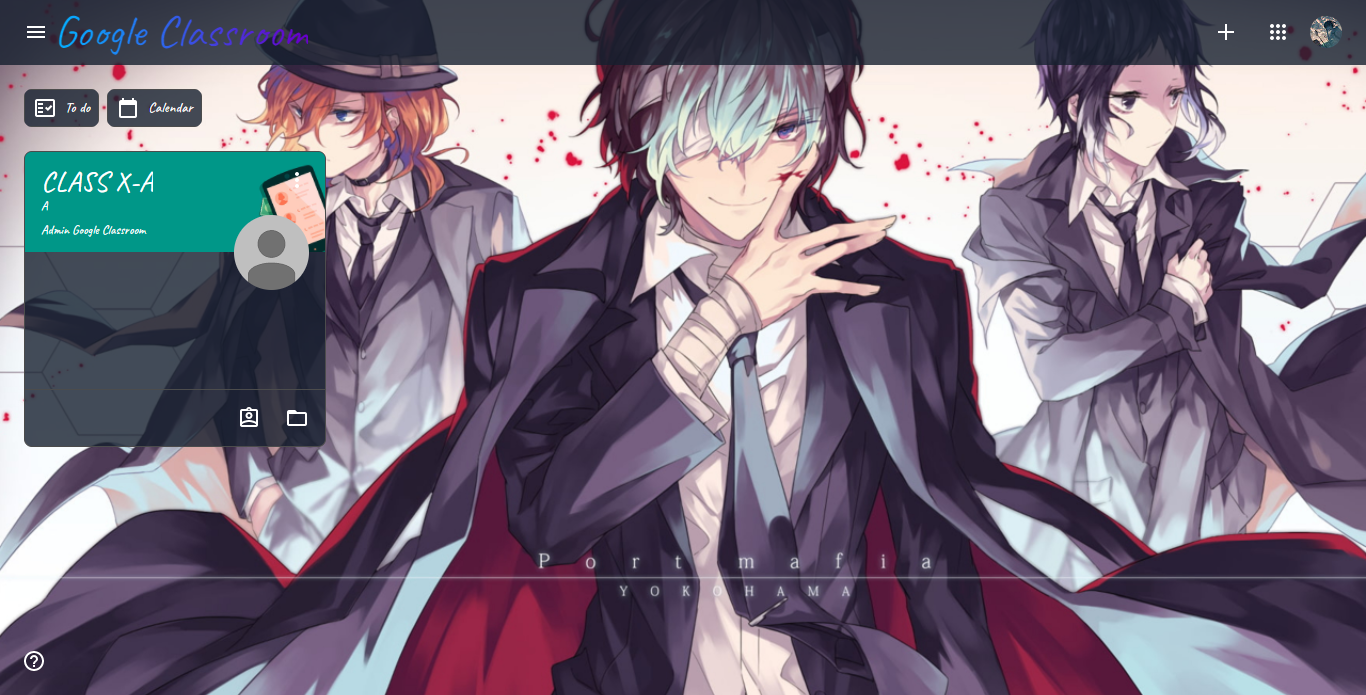
Google Classroom Preview 1

Google Classroom Preview 2