Download github repo sub-folder

download github sub-folder via one click, copy the single file's source code easily

目前為 2020-09-25 提交的版本,檢視 最新版本

您需要先安裝使用者腳本管理器擴展,如 TampermonkeyGreasemonkeyViolentmonkey 之後才能安裝該腳本。

You will need to install an extension such as Tampermonkey to install this script.

您需要先安裝使用者腳本管理器擴充功能,如 TampermonkeyViolentmonkey 後才能安裝該腳本。

您需要先安裝使用者腳本管理器擴充功能,如 TampermonkeyUserscripts 後才能安裝該腳本。

你需要先安裝一款使用者腳本管理器擴展,比如 Tampermonkey,才能安裝此腳本

您需要先安裝使用者腳本管理器擴充功能後才能安裝該腳本。

(我已經安裝了使用者腳本管理器,讓我安裝!)

你需要先安裝一款使用者樣式管理器擴展,比如 Stylus,才能安裝此樣式

你需要先安裝一款使用者樣式管理器擴展,比如 Stylus,才能安裝此樣式

你需要先安裝一款使用者樣式管理器擴展,比如 Stylus,才能安裝此樣式

你需要先安裝一款使用者樣式管理器擴展後才能安裝此樣式

你需要先安裝一款使用者樣式管理器擴展後才能安裝此樣式

你需要先安裝一款使用者樣式管理器擴展後才能安裝此樣式

(我已經安裝了使用者樣式管理器,讓我安裝!)

作者
oe
評價
0 0 0
版本
0.2.3
建立日期
2020-09-23
更新日期
2020-09-25
尺寸
5.2 KB
授權條款
未知
腳本執行於

It's a useful user script for Github users:

  1. allow you to donwload a sub-folder of a repo online without cloning the whole repository to your machine
  2. allow you to copy source code in repo's single file view

All its features are seamless integrated with Github, and works great with octotree.
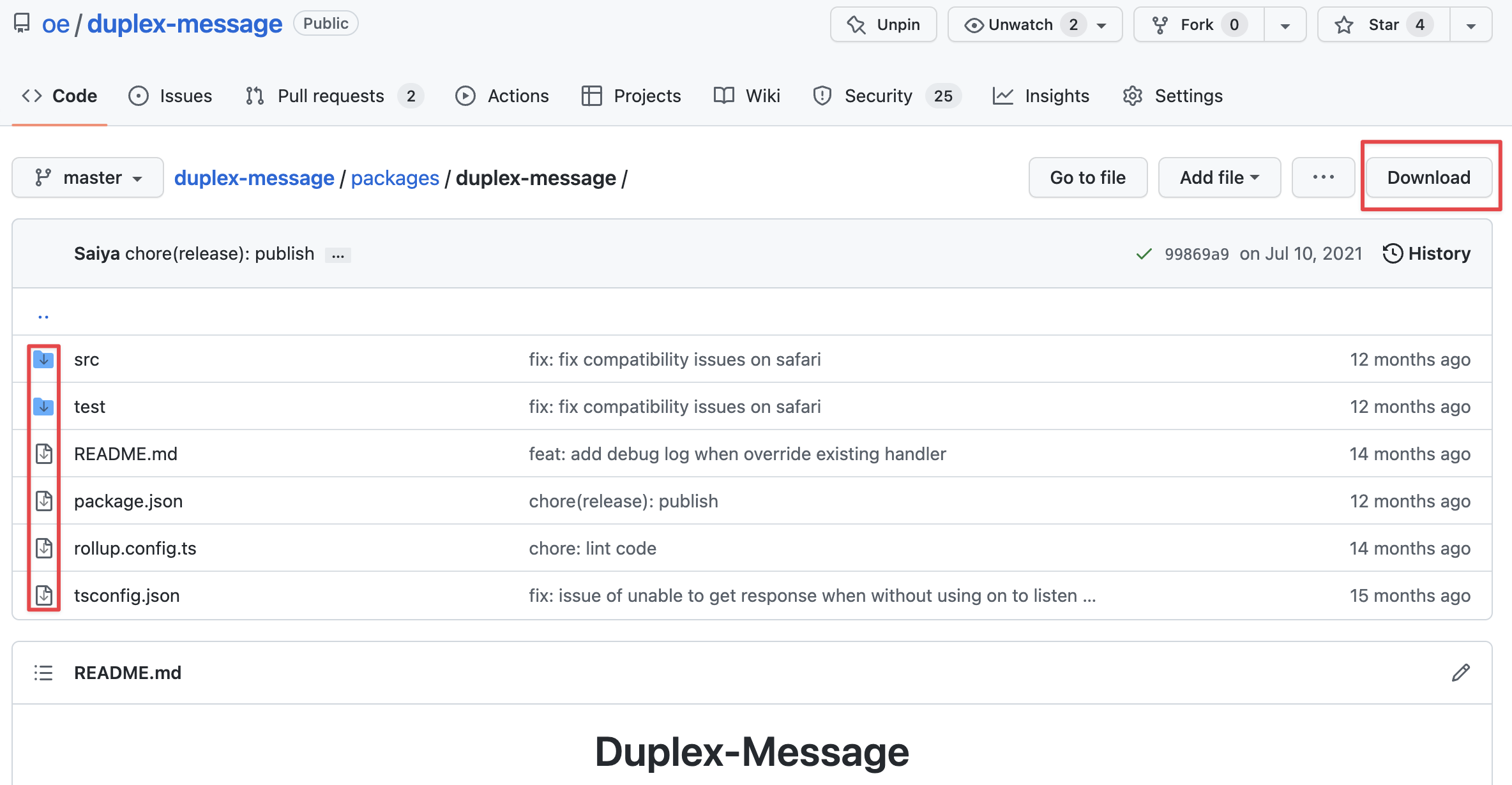
Download Github screenshot

Usage

Configure the script manager

This script use script manager's Download feature to download single code file, and it must follow script manager's Secure restrictions, like Tampermonkey says:

for security reasons the file extension needs to be whitelisted at Tampermonkey's options page

The following steps showing you how to config that in Tampermonkey

You can added your custom file extension the whitelist by follow steps:

  1. open Tampermonkey extension settings page, in Chrome it's chrome-extension://dhdgffkkebhmkfjojejmpbldmpobfkfo/options.html#nav=settings
  2. change General -> Config mode to Advanced
  3. Scroll to Downloads BETA, add file extension Regexp to the Whitelisted File Extensions:, e.g.: regexp /\.(js|ts|jsx|tsx|json|java|go|cpp|c|swift|cmd|sh|md|markdown|rb)$/

or you can add /\..*$/ to the list to allow any file extensions at your own risk