BlueCat Address Manager Expand EventLog Lines

Expand all messages in event log to prevent popups in BlueCat Address Manager

目前為 2018-06-05 提交的版本,檢視 最新版本

您需要先安裝使用者腳本管理器擴展,如 TampermonkeyGreasemonkeyViolentmonkey 之後才能安裝該腳本。

You will need to install an extension such as Tampermonkey to install this script.

您需要先安裝使用者腳本管理器擴充功能,如 TampermonkeyViolentmonkey 後才能安裝該腳本。

您需要先安裝使用者腳本管理器擴充功能,如 TampermonkeyUserscripts 後才能安裝該腳本。

你需要先安裝一款使用者腳本管理器擴展,比如 Tampermonkey,才能安裝此腳本

您需要先安裝使用者腳本管理器擴充功能後才能安裝該腳本。

(我已經安裝了使用者腳本管理器,讓我安裝!)

你需要先安裝一款使用者樣式管理器擴展,比如 Stylus,才能安裝此樣式

你需要先安裝一款使用者樣式管理器擴展,比如 Stylus,才能安裝此樣式

你需要先安裝一款使用者樣式管理器擴展,比如 Stylus,才能安裝此樣式

你需要先安裝一款使用者樣式管理器擴展後才能安裝此樣式

你需要先安裝一款使用者樣式管理器擴展後才能安裝此樣式

你需要先安裝一款使用者樣式管理器擴展後才能安裝此樣式

(我已經安裝了使用者樣式管理器,讓我安裝!)

作者
Marius Galm
評價
0 0 0
版本
3
建立日期
2018-02-20
更新日期
2018-06-05
尺寸
1.7 KB
授權條款
MIT
腳本執行於

Sometimes you just want to see everything in the event list and not hover over every single entry that it too wide for the table.

You could, of cause, resize the columns to fit ;-D but that doesn't always work.

With this you can click the "Expand" Button and it will show the complete log statement in multiple lines (fitting the table width):
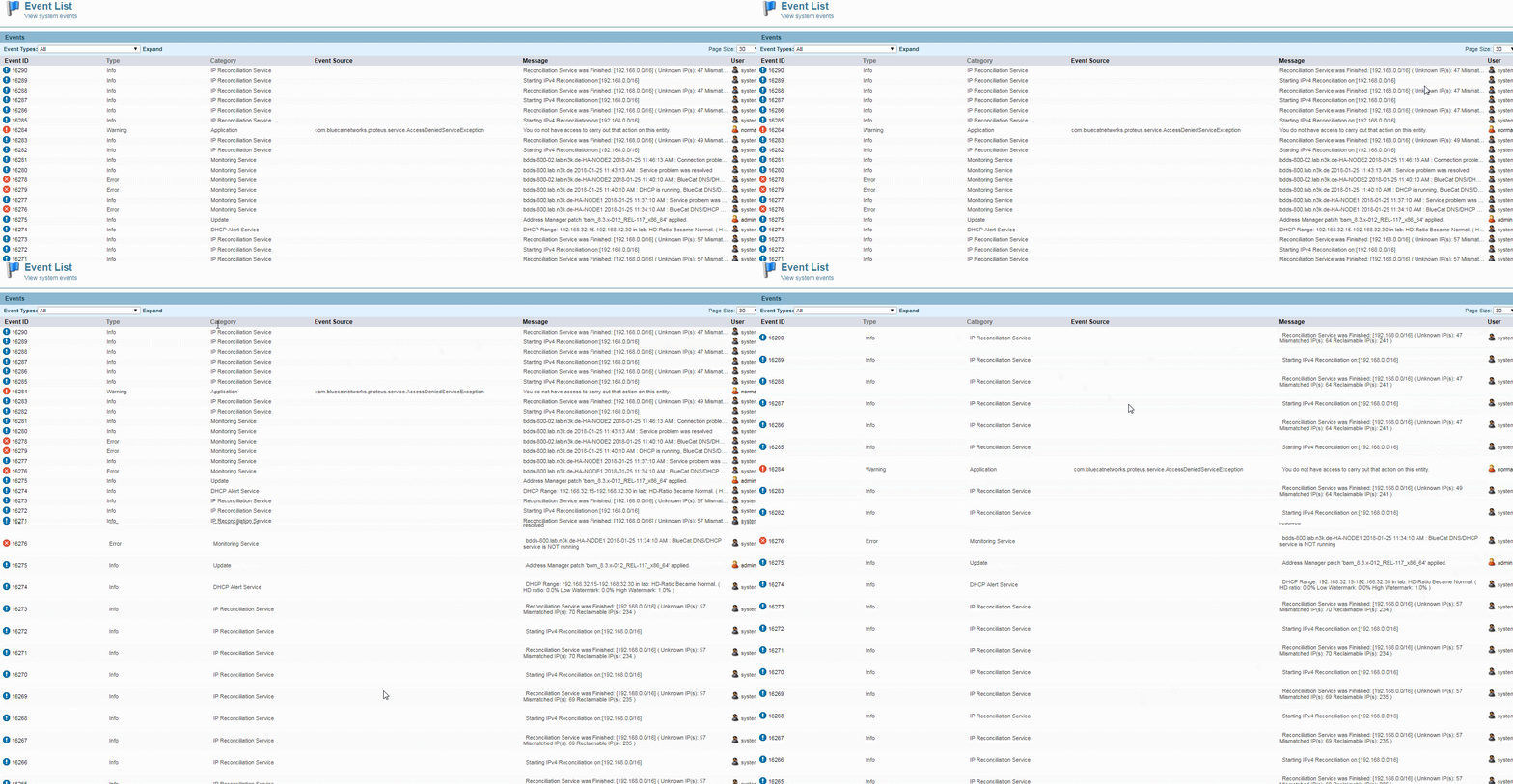
Click to Expand

As always the easy collapse here is a refresh of the page, bringing the layout back to normal.