Change the color of the UI in BlueCat Address Manager
Hi all,
do you have a BlueCat test environment or multiple BAMs (btw. you should ideally have a test BAM ;-D)?
Ever created stuff on the wrong BAM because you had multi tabs or windows open?
Here is a small helper to make you aware of the environment by recoloring the banner when you're using configured Hostname(s):
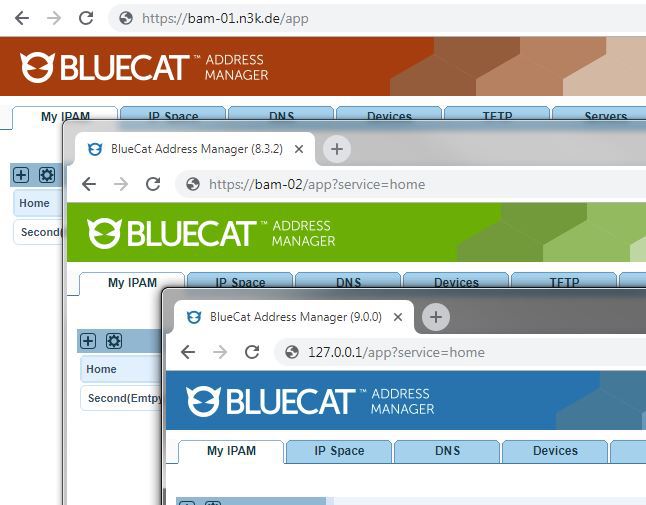
For this to work you have to help me a bit, after the installation, click the tampermonkey icon (or whatever addons you're using) and right-click the scriptname Might also be different with other addons (the idea is to get into the script code)

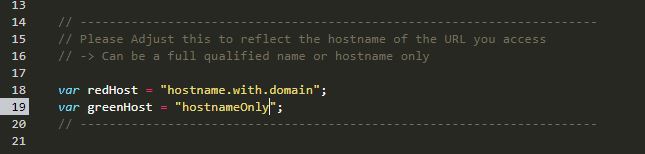
Now adjust the hostnames of the redHost and/or greenHost variables for you hostnames:
HINT: If you like to have things more comfortable feel free to use my chrome or firefox addons. Just search for "Bluecat" in the store and you should find it.
