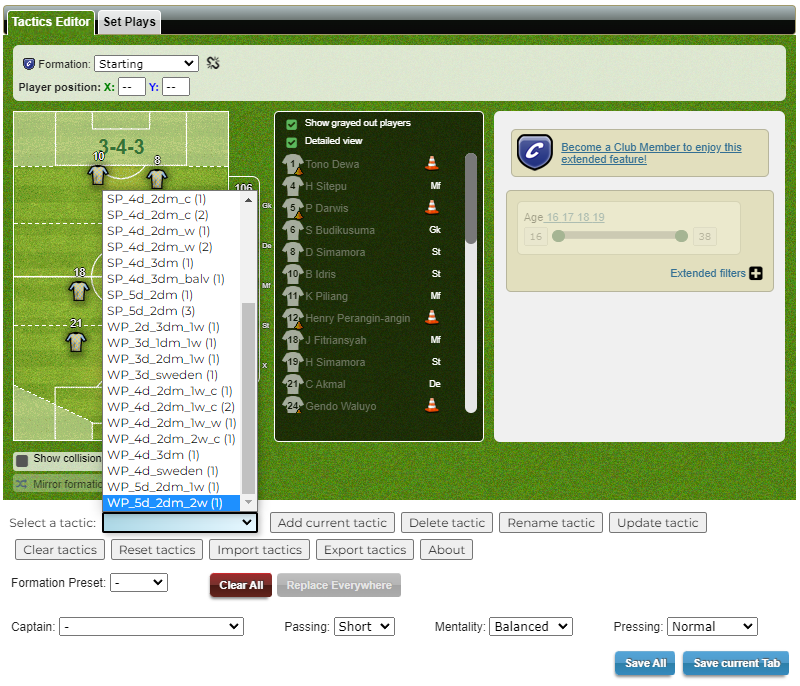
The script adds a dropdown menu to the tactics page, where users can select a tactic from the available options. When a tactic is selected from the dropdown menu, the script rearranges the outfield players on the field to match the selected tactic.
Users can save their own custom tactics by clicking the "Add current tactic" button. They will be prompted to enter a name for the tactic and the tactic will be saved.
The script provides buttons to delete, rename, and update existing stored tactics.
It is possible to clear (empty) the available tactics or reset to default settings.
Last but not least, it is also possible to import/export tactics.
Installation
To use the MZ Tactics Selector, you need to have a userscript manager installed in your browser. Follow these steps to install the script:
Install a userscript manager extension for your browser. Tampermonkey is a good option.