Undiscord by Aerial

Delete and Backup all messages and media in Discord

您需要先安装一款用户脚本管理器扩展,例如 Tampermonkey 篡改猴Greasemonkey 油猴子Violentmonkey 暴力猴,才能安装此脚本。

您需要先安装一款用户脚本管理器扩展,例如 Tampermonkey 篡改猴,才能安装此脚本。

您需要先安装一款用户脚本管理器扩展,例如 Tampermonkey 篡改猴Violentmonkey 暴力猴,才能安装此脚本。

您需要先安装一款用户脚本管理器扩展,例如 Tampermonkey 篡改猴Userscripts ,才能安装此脚本。

您需要先安装一款用户脚本管理器扩展,例如 Tampermonkey 篡改猴,才能安装此脚本。

您需要先安装一款用户脚本管理器扩展后才能安装此脚本。

(我已经安装了用户脚本管理器,让我安装!)

您需要先安装一款用户样式管理器扩展,比如 Stylus,才能安装此样式。

您需要先安装一款用户样式管理器扩展,比如 Stylus,才能安装此样式。

您需要先安装一款用户样式管理器扩展,比如 Stylus,才能安装此样式。

您需要先安装一款用户样式管理器扩展后才能安装此样式。

您需要先安装一款用户样式管理器扩展后才能安装此样式。

您需要先安装一款用户样式管理器扩展后才能安装此样式。

(我已经安装了用户样式管理器,让我安装!)

作者
Aerial
日安装量
0
总安装量
9
评分
0 0 0
版本
5.3.3
创建于
2025-12-22
更新于
2025-12-23
大小
108.1 KB
许可证
MIT
适用于

Undiscord - Aerial Edition - Auto Backup All Media and Messages before Auto Mass Deletion.

This is a maintained fork of the original Undiscord by victornpb.
It fixes recent API errors (401/403), adds a visual Media Manager, Auto-Backups, and Folder Organization.

✨ New Features in this Version (v5.3.2)

  • 📸 Interactive Media Mode: Scan for images/videos and view them in a visual grid before deleting.
  • 💾 Smart Backups: Auto-download media before deleting.
  • 📂 Organized Folders: Saves files into Downloads\Undiscord_Media\User\Server\Channel\.
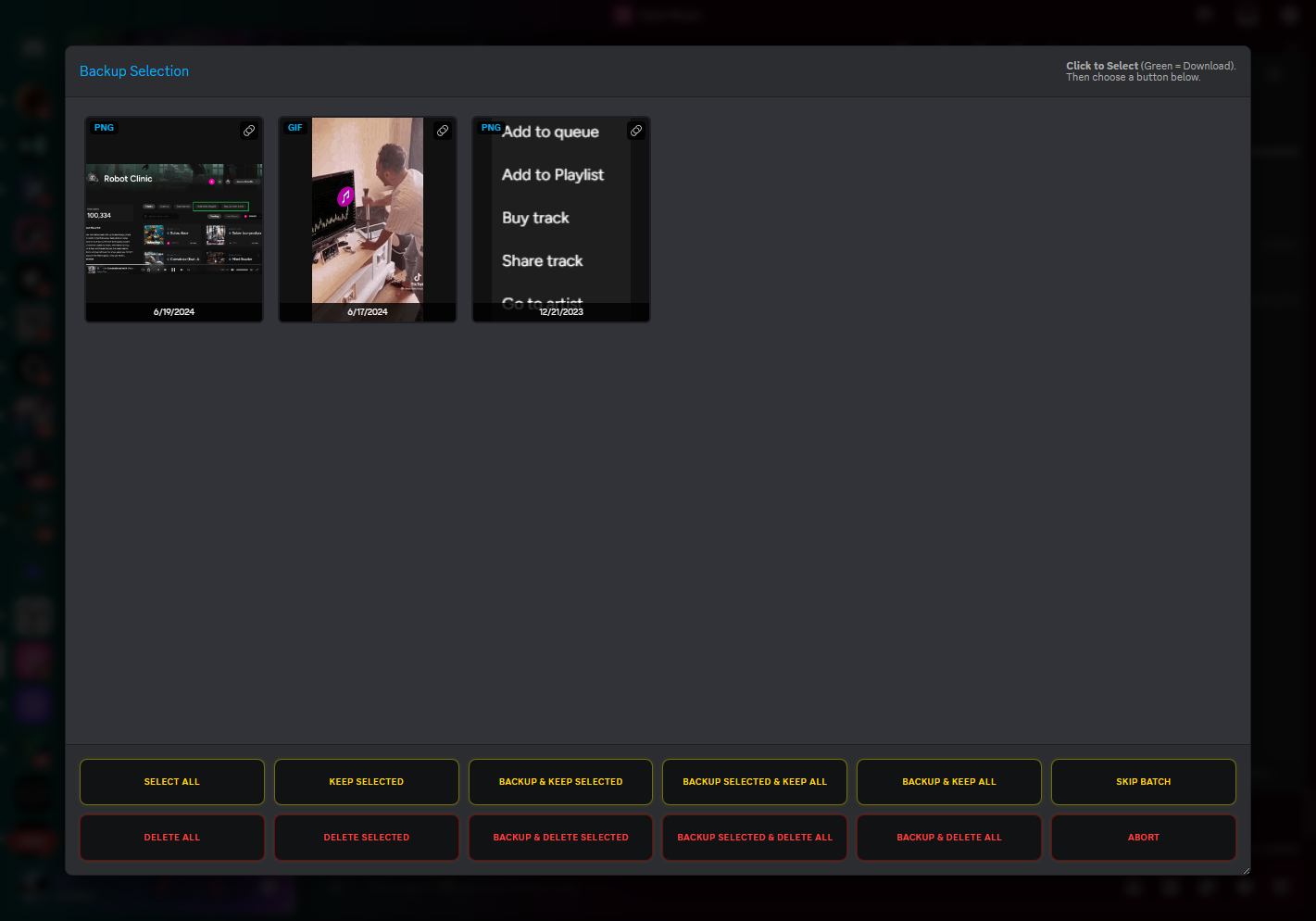
  • 🛑 Crash Proof: Fixed 401/403 "Missing Access" errors that stopped the original script.
  • ⏭️ Smart Skipping: Pagination fixed to prevent infinite loops on skipped messages. Screenshot

📥 How to Install

  1. Get a Userscript Manager: (Skip if you already have one)

  2. Install the Script:
    Click the link below and press "Install" when the tab opens. Or click the button at the top.

  3. Pin your Tampermonkey or other manager then right click the extension > Manage extension > scroll down and enable "Allow User Scripts."

  4. Make sure to enable Developer Mode in your browser extension settings.

👉 CLICK HERE TO INSTALL SCRIPT 👈


⚙️ How to Use

  1. Open Discord in your browser (Not the Desktop App).
  2. Go to the Channel or DM you want to wipe.
  3. Click the Trash Can (🗑️) icon in the top right corner.
  4. Click "Get Author", "Get Server", and "Get Channel" to auto-fill your details.
  5. Optional: Check "Media Scanner" if you want to backup/review images first.
  6. Click the Red Delete Button to start!

Screenshot (Original UI Screenshot)


Credits

DISCLAIMER

THE SOFTWARE IS PROVIDED "AS IS", WITHOUT WARRANTY OF ANY KIND. USE AT YOUR OWN RISK. THE AUTHORS ARE NOT RESPONSIBLE FOR ANY ACCOUNT BANS.