Youtube Blocker

Block youtube usage by configured rules

您需要先安装一款用户脚本管理器扩展,例如 Tampermonkey 篡改猴Greasemonkey 油猴子Violentmonkey 暴力猴,才能安装此脚本。

您需要先安装一款用户脚本管理器扩展,例如 Tampermonkey 篡改猴,才能安装此脚本。

您需要先安装一款用户脚本管理器扩展,例如 Tampermonkey 篡改猴Violentmonkey 暴力猴,才能安装此脚本。

您需要先安装一款用户脚本管理器扩展,例如 Tampermonkey 篡改猴Userscripts ,才能安装此脚本。

您需要先安装一款用户脚本管理器扩展,例如 Tampermonkey 篡改猴,才能安装此脚本。

您需要先安装一款用户脚本管理器扩展后才能安装此脚本。

(我已经安装了用户脚本管理器,让我安装!)

您需要先安装一款用户样式管理器扩展,比如 Stylus,才能安装此样式。

您需要先安装一款用户样式管理器扩展,比如 Stylus,才能安装此样式。

您需要先安装一款用户样式管理器扩展,比如 Stylus,才能安装此样式。

您需要先安装一款用户样式管理器扩展后才能安装此样式。

您需要先安装一款用户样式管理器扩展后才能安装此样式。

您需要先安装一款用户样式管理器扩展后才能安装此样式。

(我已经安装了用户样式管理器,让我安装!)

作者
Rylee.Hermann
日安装量
0
总安装量
46
评分
1 0 0
版本
0.5.0
创建于
2021-01-09
更新于
2021-01-09
大小
394.0 KB
许可证
MIT
适用于


🙌 Usage

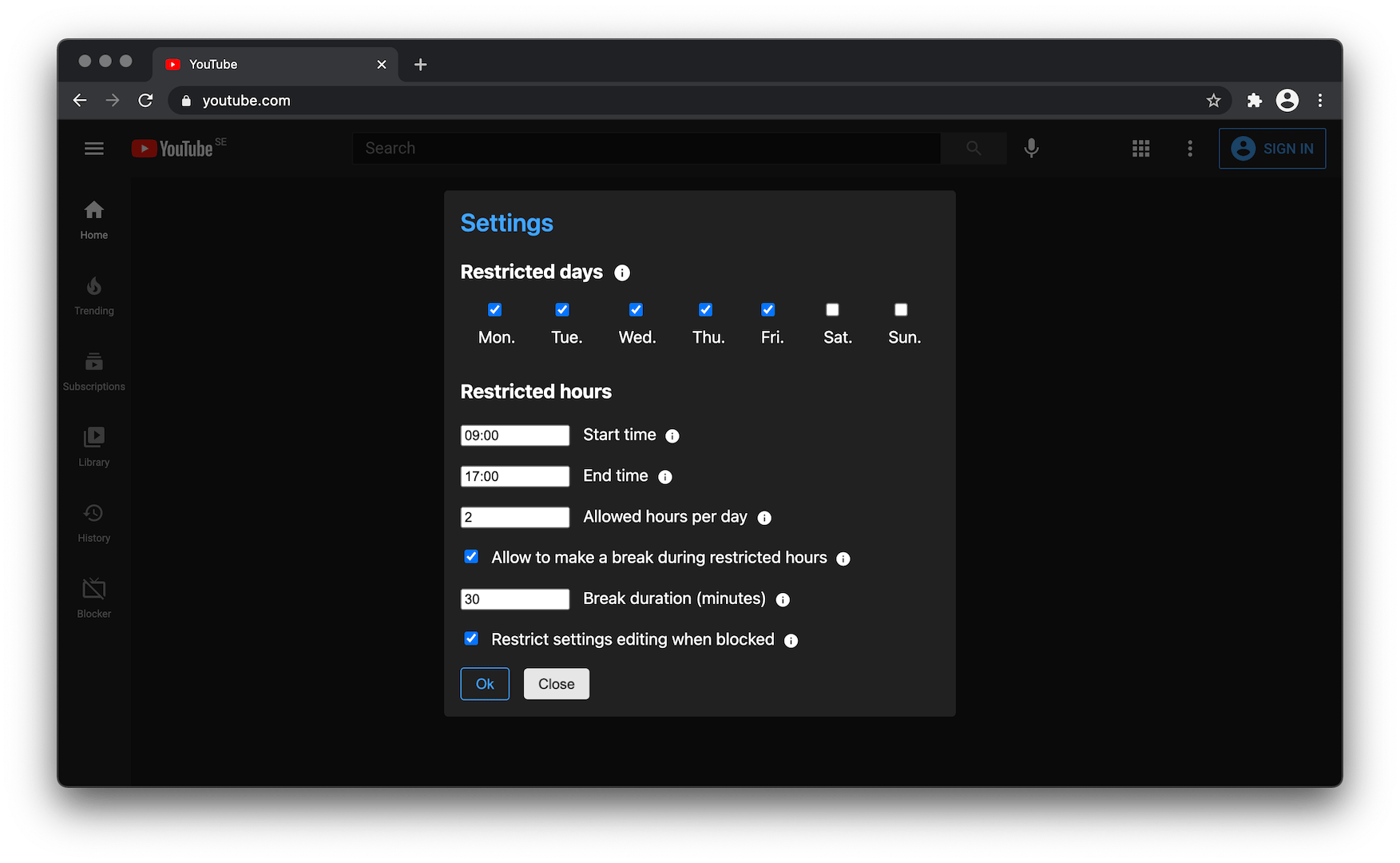
First time you enter Youtube after script installation you will be asked configure the script for your usage. You can move your cursor over the question mark icon to see the explanation about each setting option.

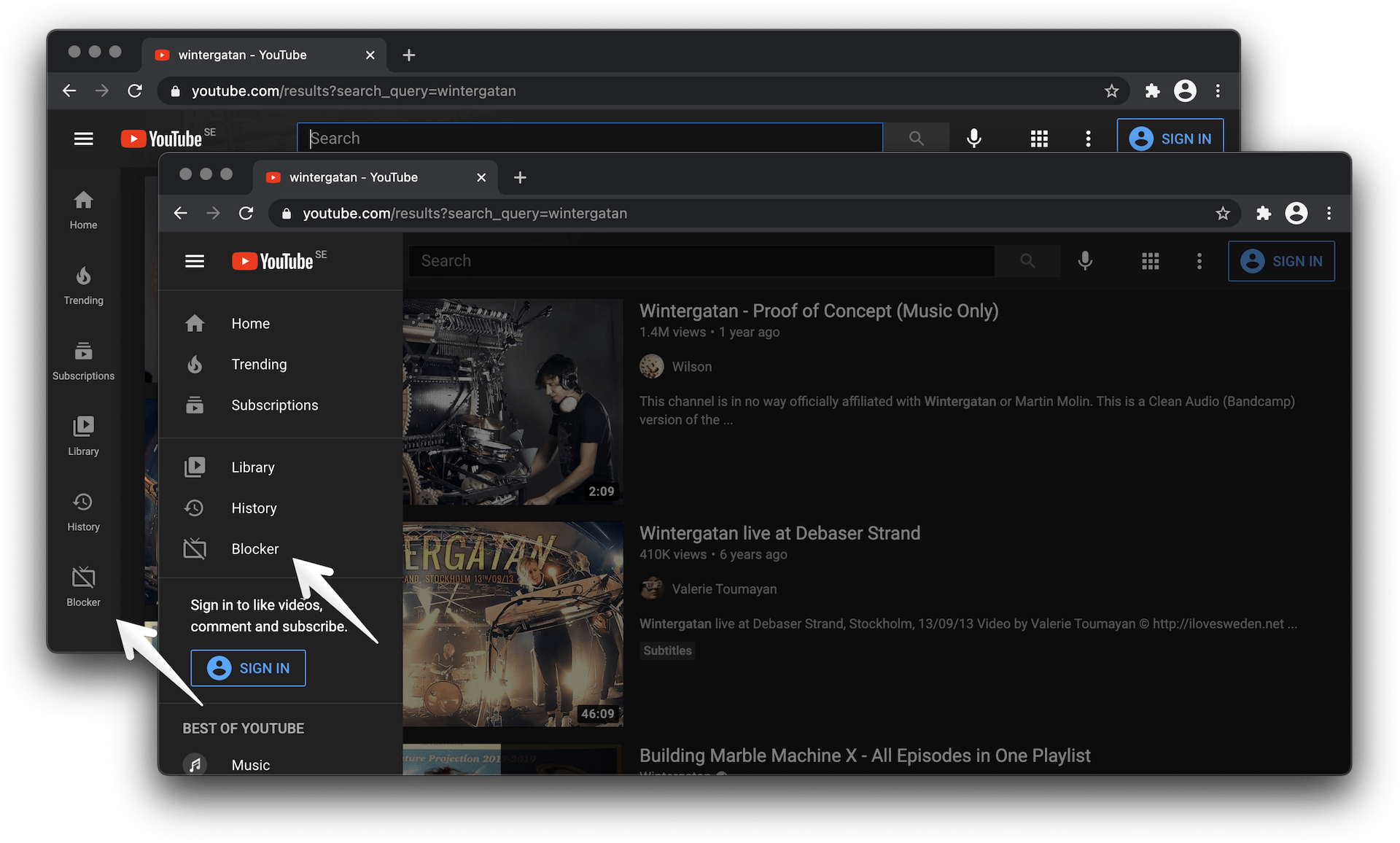
You will also able to open the settings dialog later by clicking the new button appeared in the left sidebar.

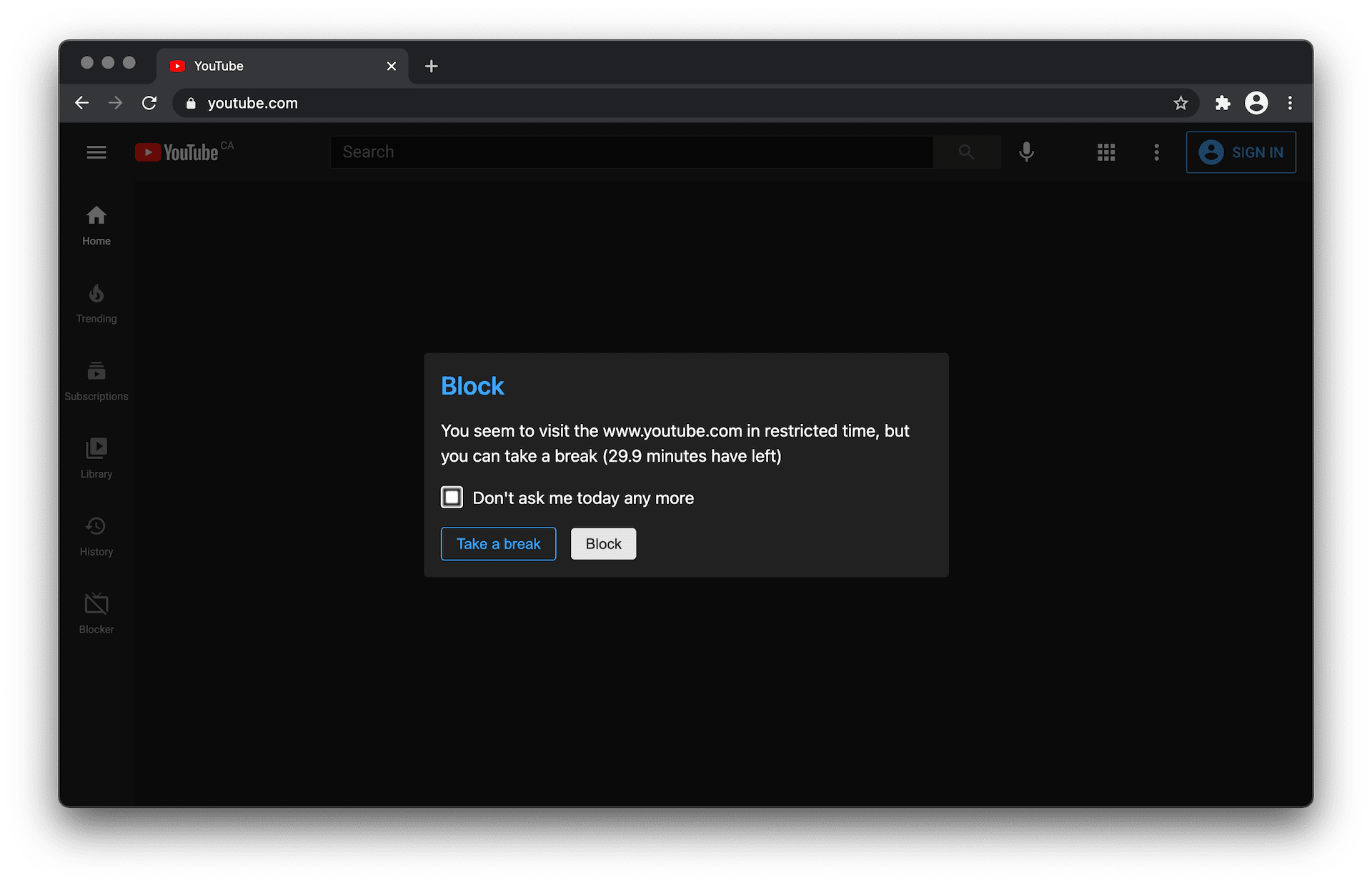
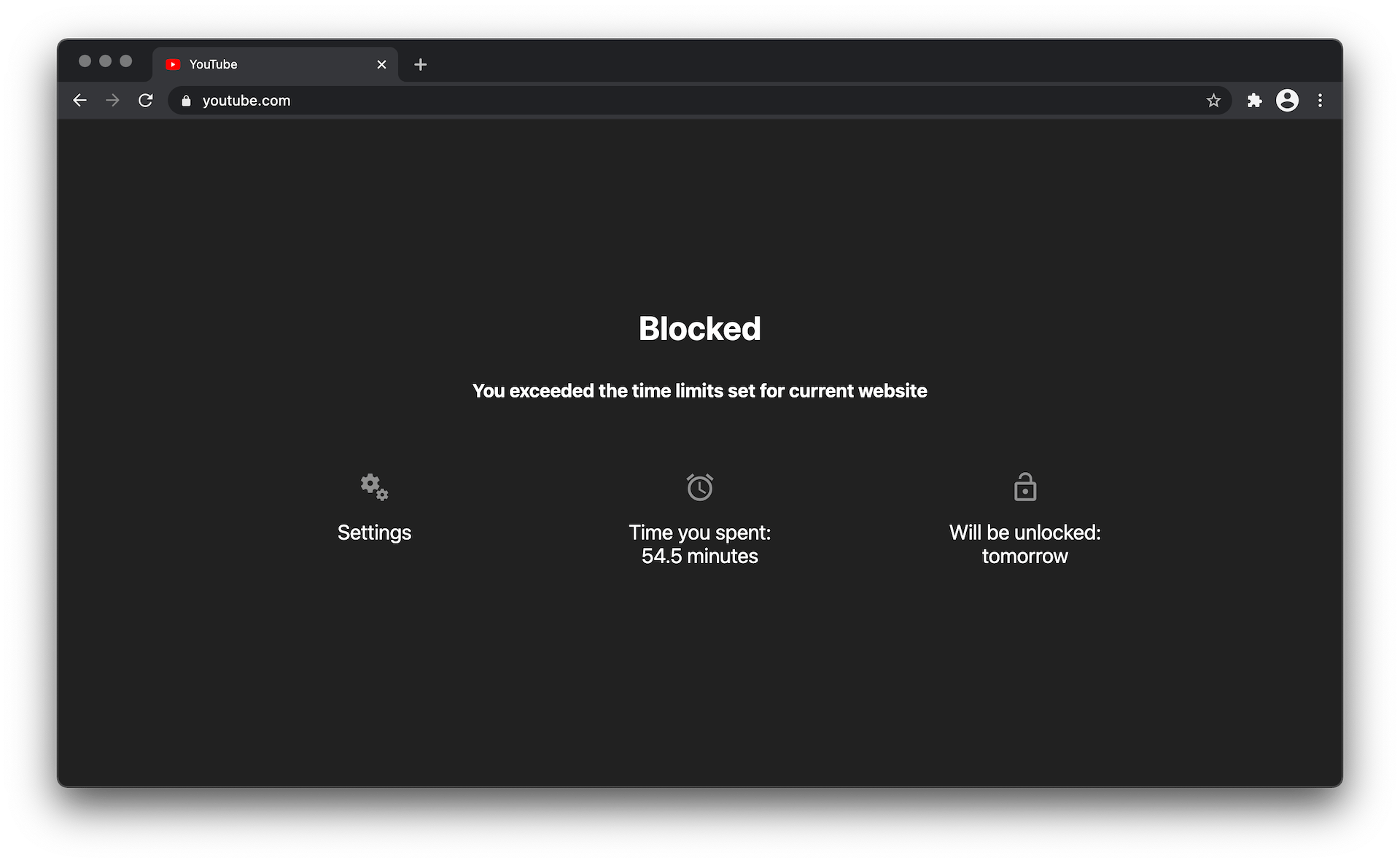
When you rich your scheduled restricted hours, the youtube will be blocked till the end of your working time or until the following day if your daily time limit is over.

📸 Extension screenshots


See under the toggle


buttons demo
Settings button


settings demo
Settings window


settings demo
"Take a break" window


blocker demo
Block page