BlueCat Address Manager Resizable Columns

Dynamic Column Resizing in BlueCat Address Manager

您需要先安装一款用户脚本管理器扩展,例如 Tampermonkey 篡改猴Greasemonkey 油猴子Violentmonkey 暴力猴,才能安装此脚本。

您需要先安装一款用户脚本管理器扩展,例如 Tampermonkey 篡改猴,才能安装此脚本。

您需要先安装一款用户脚本管理器扩展,例如 Tampermonkey 篡改猴Violentmonkey 暴力猴,才能安装此脚本。

您需要先安装一款用户脚本管理器扩展,例如 Tampermonkey 篡改猴Userscripts ,才能安装此脚本。

您需要先安装一款用户脚本管理器扩展,例如 Tampermonkey 篡改猴,才能安装此脚本。

您需要先安装一款用户脚本管理器扩展后才能安装此脚本。

(我已经安装了用户脚本管理器,让我安装!)

您需要先安装一款用户样式管理器扩展,比如 Stylus,才能安装此样式。

您需要先安装一款用户样式管理器扩展,比如 Stylus,才能安装此样式。

您需要先安装一款用户样式管理器扩展,比如 Stylus,才能安装此样式。

您需要先安装一款用户样式管理器扩展后才能安装此样式。

您需要先安装一款用户样式管理器扩展后才能安装此样式。

您需要先安装一款用户样式管理器扩展后才能安装此样式。

(我已经安装了用户样式管理器,让我安装!)

作者
Marius Galm
日安装量
0
总安装量
4
评分
0 0 0
版本
10
创建于
2018-02-20
更新于
2018-12-18
大小
2.7 KB
许可证
MIT
适用于

Hello to all BlueCat Administrators out there.

Ever been in the situation that there is just too much information in a column and the rest is empty but you cannot resize them? This script got you covered. Just click and hold the column header and drag the mouse right to expand and left to shrink the respective column:
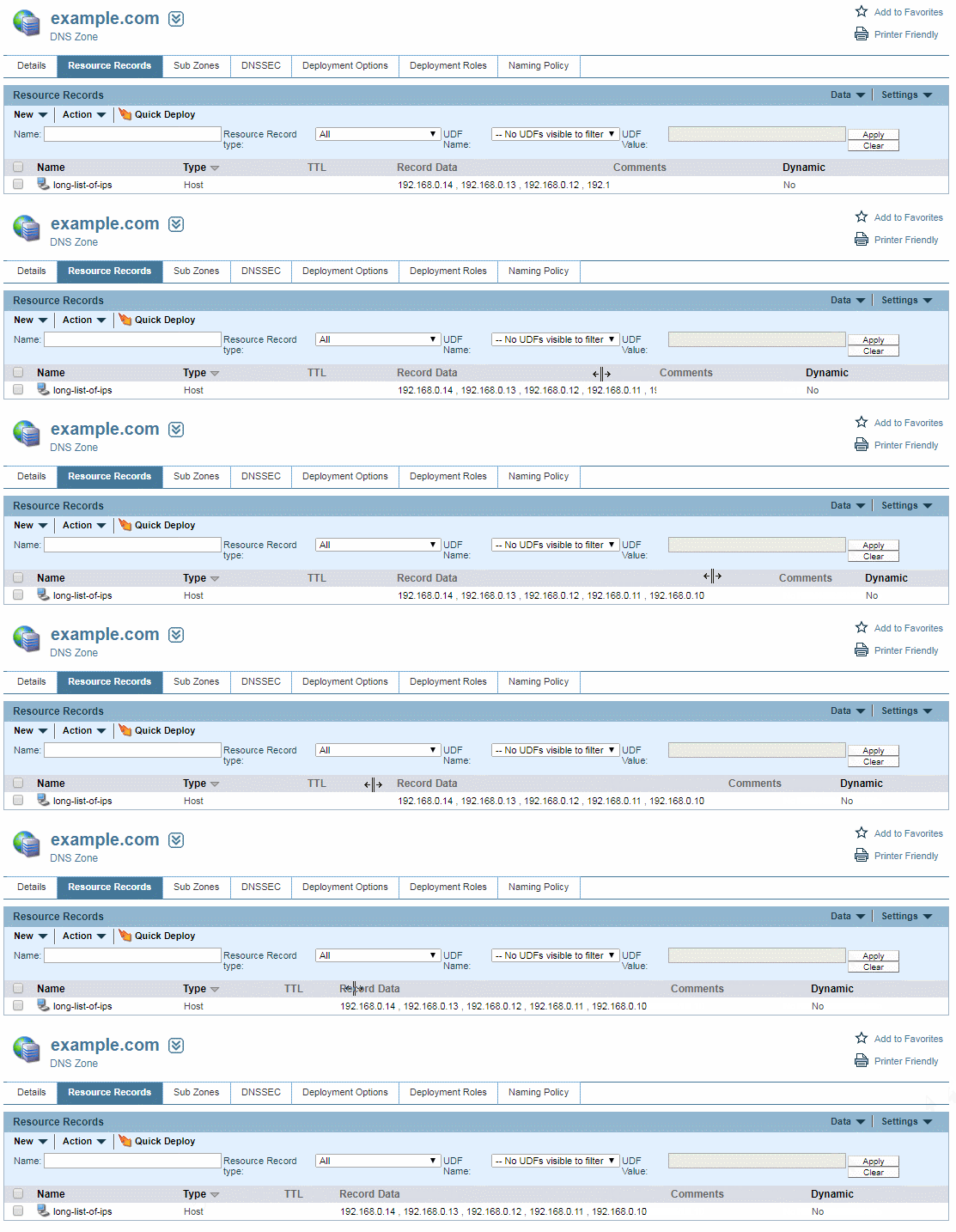
Here a gif worth a thousand words

If you screw it up, just reload the page.

New Feature: Initially resizes the columns to fit most on page